Running 10 WordPress sites in a free stateless docker container
Contents
This short article documents an interesting project I wrote.
Goal
The goal is to run 10 WordPress sites in a kintohub free container service, which is a stateless container built from a dockerfile that you can fully customize.
This problem has two challenges:
- Because the container is stateless, whenever something happens to the container, all the data will be lost. We do not want that to happen.
- Because it is a single container, you cannot run the database and the WordPress sites each in separate containers. They will have to share the container.
Source Code
The source code is very simple. Write a Dockerfile with two lines, which starts from my docker image on dockerhub and add your config file:
Dockerfile:
1 | FROM alicesu/single-container-wordpress:latest |
The config file has a simple format, please refer to the documents of my docker image for details.
How is persistence achieved on a stateless container?
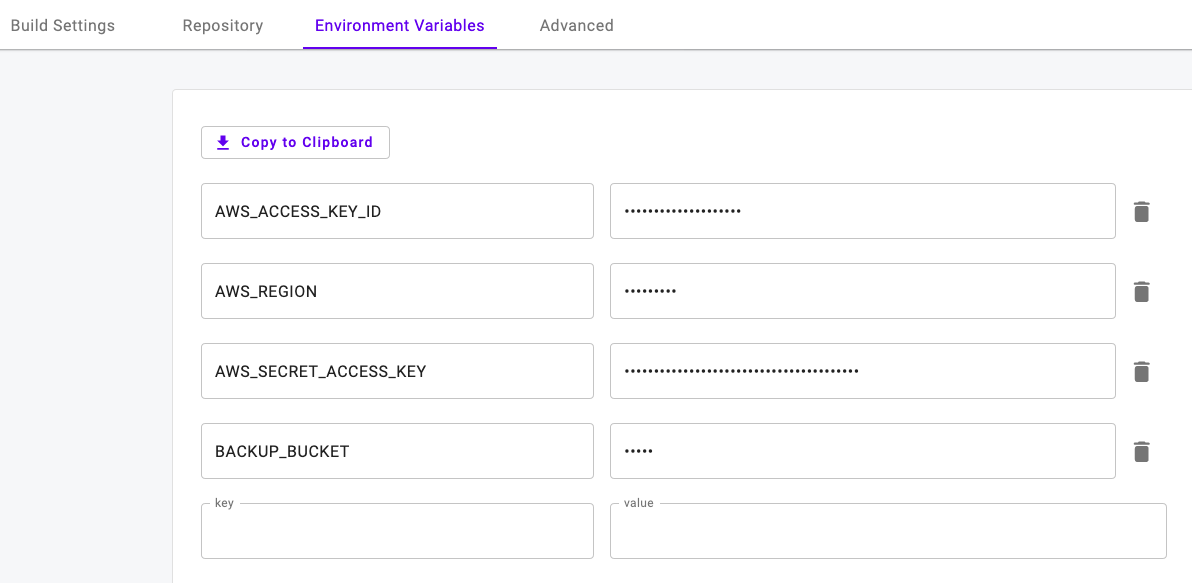
On a cron job defined in the configure file, the data is periodically dumped and backed up into Amazon S3. Every time the container is restored, either by accident or on purpose, the data is automatically restored from Amazon S3. Therefore, the stateless container feels as if it contains persistent storage.
Apparently this will not work very well for busy sites. However, if you have a very busy site, you shouldn’t be using this method in the first place.
Steps I used to deploy the project
- Create a github repository, and put the simple 2-line Dockerfile and config file: https://github.com/alicesu55/wp-test
- Create a free account and log in at https://app.kintohub.com
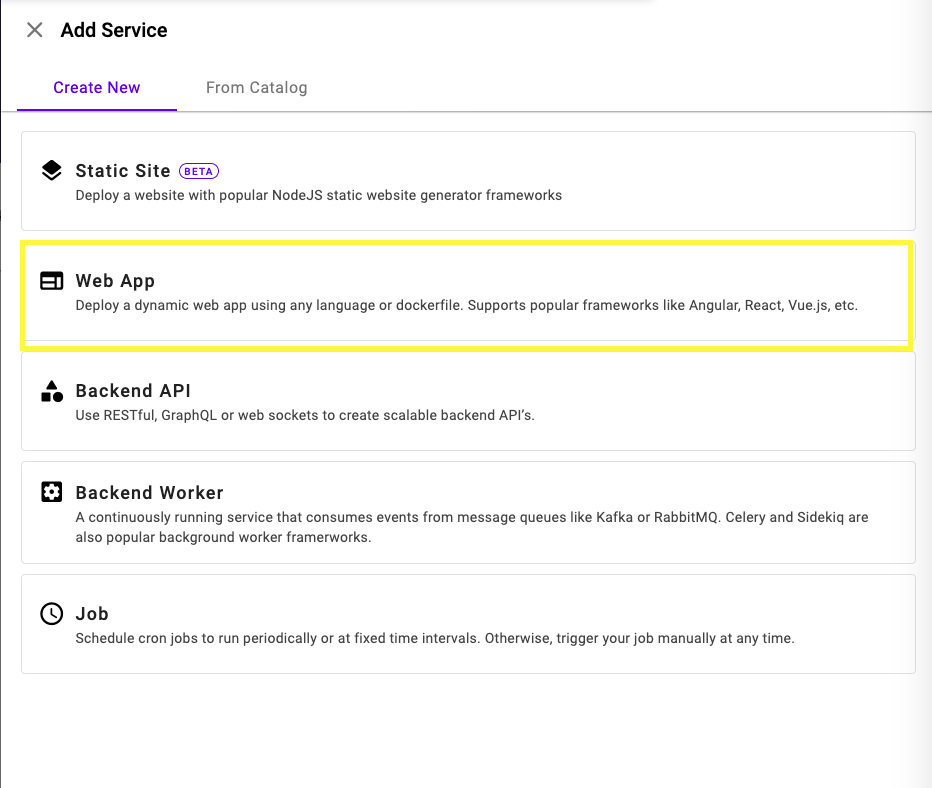
- Click “Add Service”, and select “Web App”.
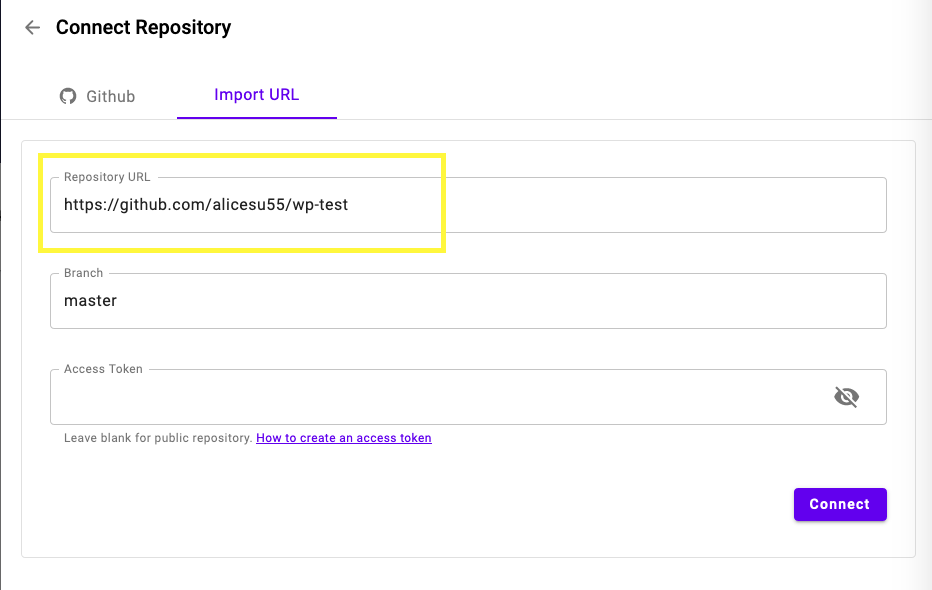
- In the next page, click tab “Import Url” and then put in the address of my github repository. Note this is the repository of this demo project, not the source code for the docker image you want to reuse, which can be found here.
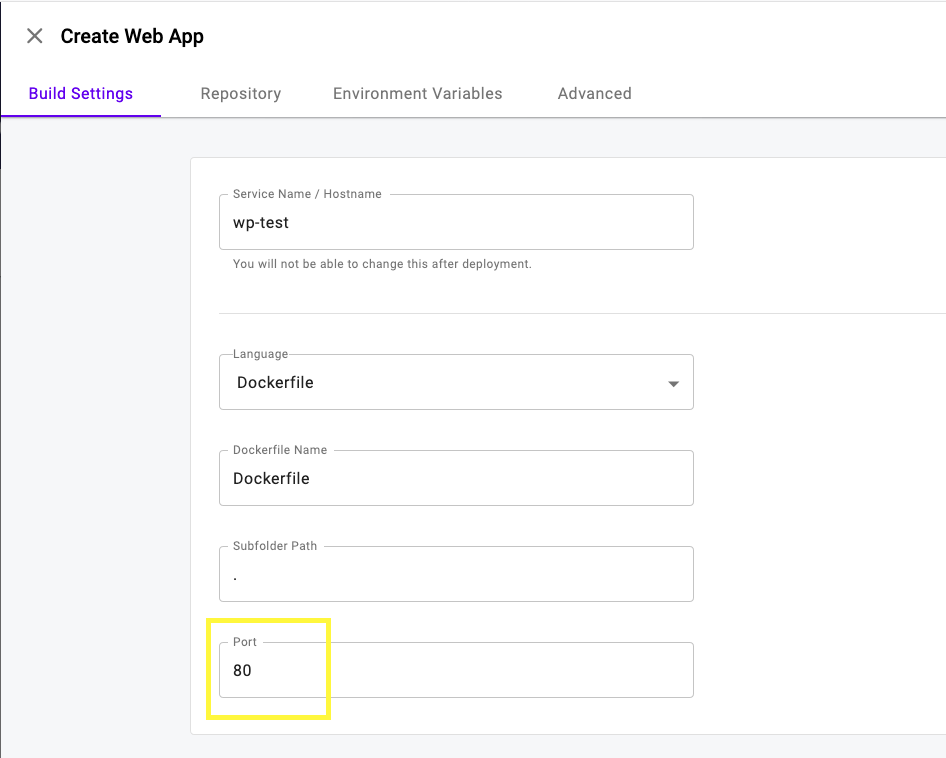
- Change the port to 80
- Set the environment variables to set up automatic backup and restore from S3. You will need a bucket name and all those AWS settings
Deploy it
After deploying, set up all the domain names you will want to use. For this demo, they are:
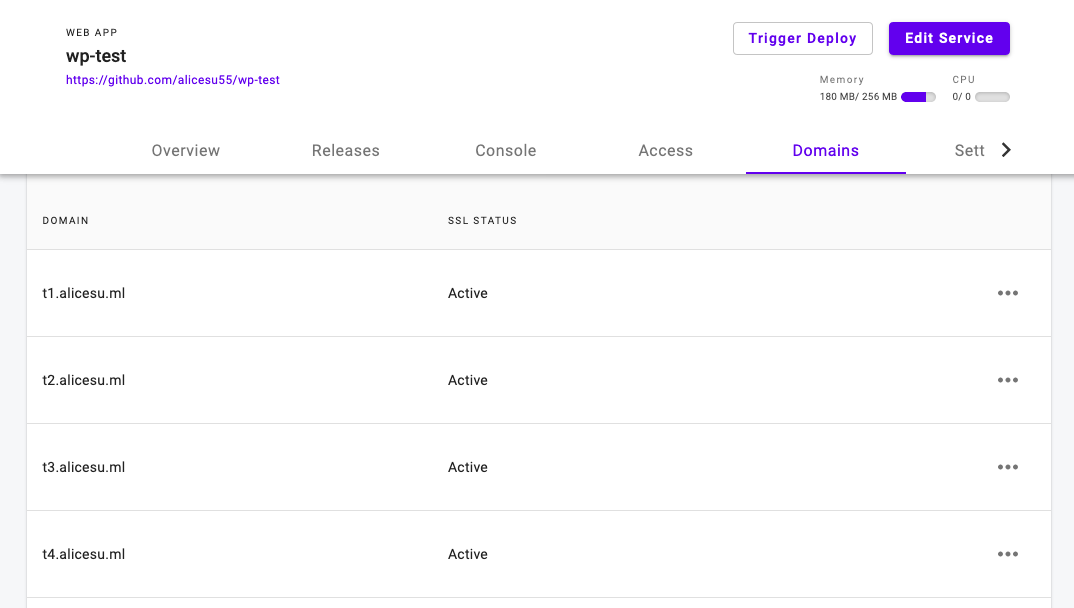
- Go to each of these URLs and set up the 10 sites. These WordPress sites are ready now.